I’ve tried the BookBub Author Websites tool, and this is my review.
But first, what is BookBub?
BookBub is best known for its large newsletter where readers can get free ebooks, discounts, and learn about new releases. Authors can use BookBub to promote their books through featured deals and paid advertisements, reaching a large number of readers.
BookBub’s Author Websites concept is focused on customer retention; email collection.
In January 2026, they added the ability to send newsletters directly using their built-in tool, and this has greatly increased the value of their service.
The platform offers three main marketing tools that can be used separately:
- The author website.
- The mailing list and newsletter.
- An email collection landing page with or without a reader magnet.
Free trial: 30 days.
50% discount for the first 6 months.
With the discount, $4.99 per month, then $9.99 per month.
During the beta, you can get a .com domain free for 12 months, then $15 per year.
Sign up at:
https://authorwebsites.bookbub.com/
Summary
The simplicity of the BookBub Author Websites is both its strength and its weakness.
If you plan to add new content to your website frequently, you will quickly grow tired of the basic editor used to create blog posts and pages: There is no way to schedule or draft your content.
I liked having a choice of different designs and templates, but the design tool is very limited, and you can only edit the home page.
Unfortunately the quality of the published website did not live up to my expectations.
I encountered accessibility problems, unexpected HTML structure, and missing schema data for books. This is a big problem for a tool meant to help readers find your books.
If BookBub is able to solve these problems, I might recommend it for authors who want to get started quickly and do not need many customization options. Or to those who only want to use the newsletter feature.
I recommend reading the terms of service carefully. One clause states that you grant BookBub the right to use your content for marketing. This is common for hosted platforms, but you should read the terms carefully so you understand how your content may be used.
There is also no way to opt-out of BookBub’s own analytics or the footer link that they add to your website.
How I did the review
I tested the BookBub Author Websites for a couple of weeks by creating a sample author site. I added books, set up the newsletter signup, and explored the design options.
I used the built-in setup wizard, experimented with several templates, and created pages and blog posts to see how the editor and the “Website Designer” work in practice.
I also checked the generated HTML of the published pages to understand how the sites perform from a technical perspective. The review below is based on that hands-on testing.
Creating your author website
When you first sign up or log in to BookBub Author Websites, you have the option to use a step-by-step wizard that asks a few questions about you (the author) and your books. The tool then creates the first pages based on your answers and lets you choose a premade layout. This makes it easy to get started even if you have never built a website before. It is fast and non-technical.
The main navigation menu is on the left side of the page.
Under the My Website menu, there is a checklist with five steps that helps you complete the setup:
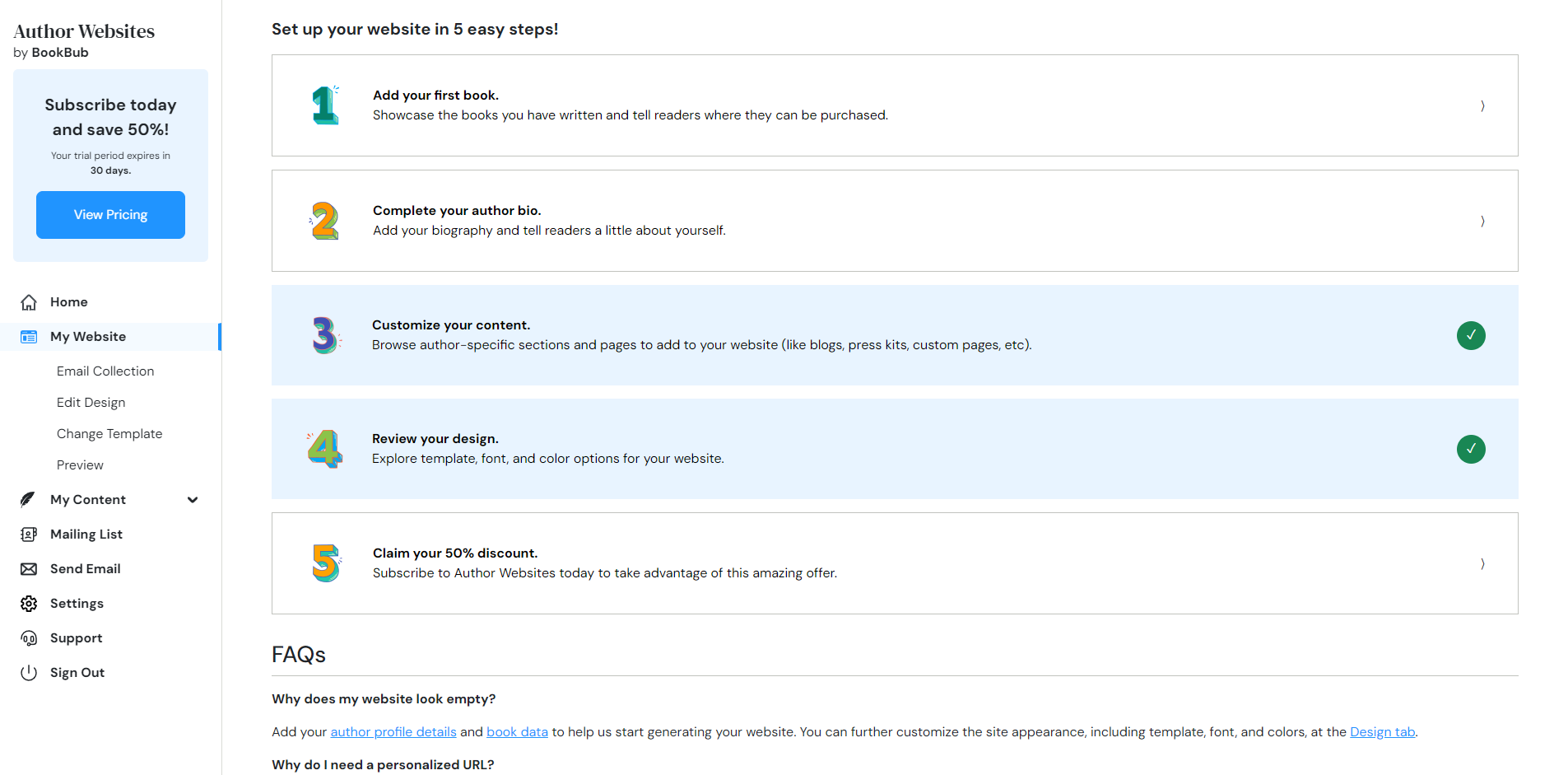
BookBub hosts your pages either with your own custom domain or a subdomain to author-pages.com.
There is one important caveat: your website is published immediately using a temporary URL. Even if it is unlikely to be indexed by search engines, it is public and viewable to anyone.
There is no way to draft your site and publish it once it is finished. The support page says that you can only hide your website if you have your own domain, which I found very strange.
Initial Setup
One of the first things you will want to set up is the contact email address. You can find this under the Settings menu. This email is used both for the contact form and as the sender of the newsletter.
The second thing is tracking visitors on your website. BookBub offers integration with Google Analytics or Meta Pixel. It also includes settings for cookie consent and a privacy policy page. Note that you will need to write the content of the privacy policy page yourself.
Designing your author website (or at least the homepage)
There are 84 premade templates (designs) for different book genres.
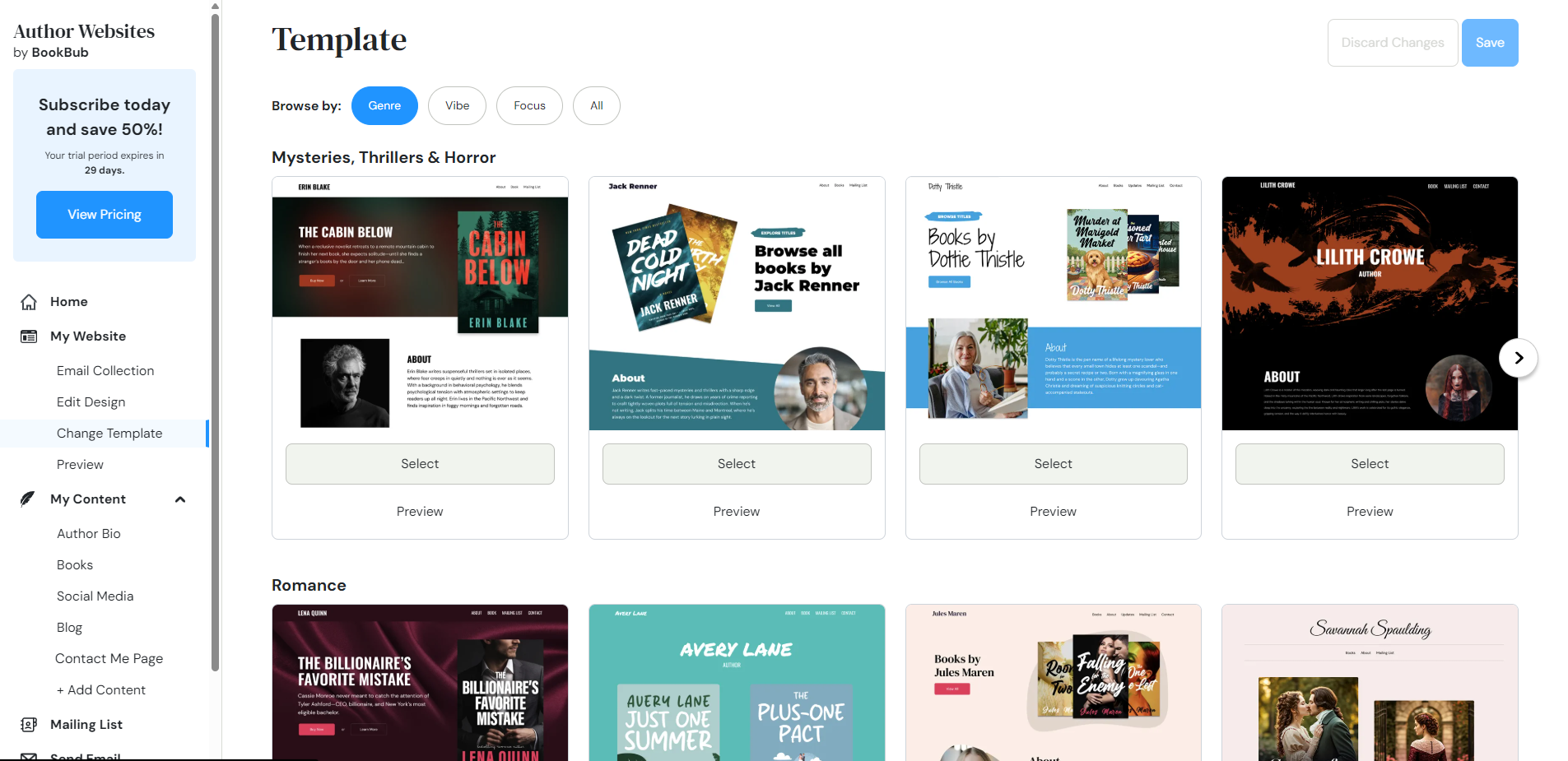
Select “Edit Desing” in the main menu to open the Website Designer. Here you can preview your home page in a desktop version or mobile version:
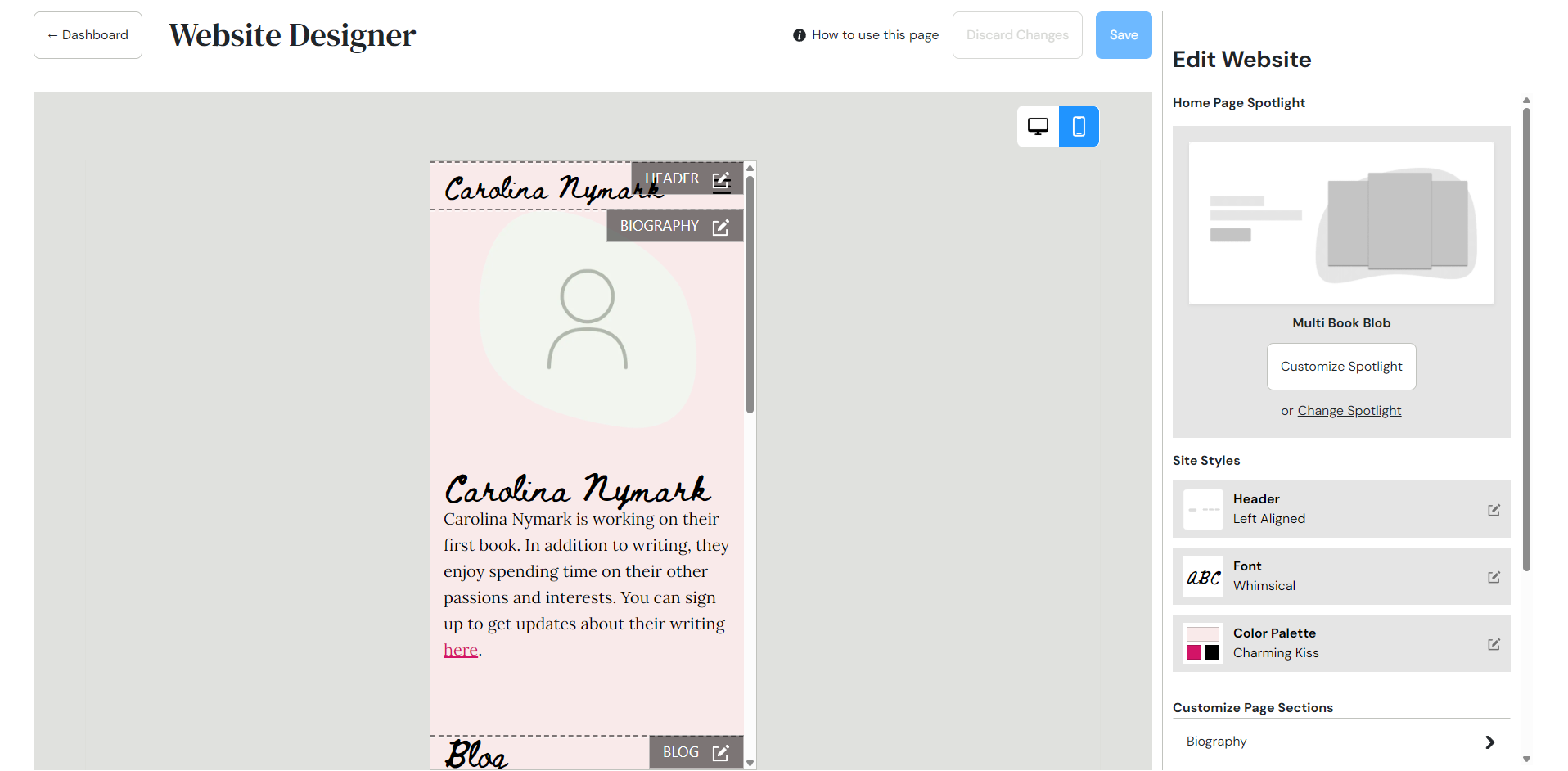
The page is divided into sections like header, biography, blog, and footer. You can add or remove the middle sections, and each section is clearly labeled and separated with a dashed border.
I found this straightforward and easy to use. Clicking on the header section opens up extra options like adding a logo and banner image.
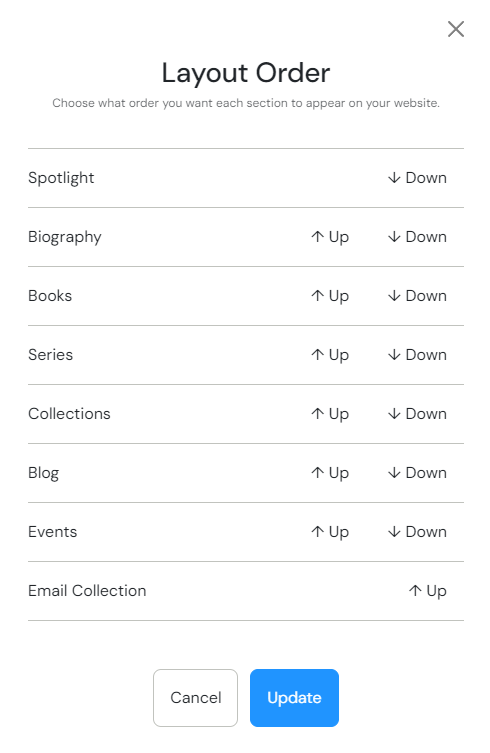
Changing the order of the layout only takes a few clicks:
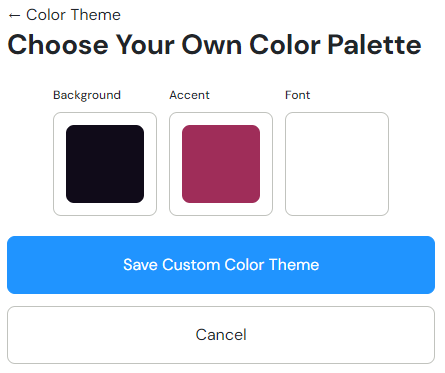
In the sidebar, you can change the color palette and add fonts. You can use any font family from Google Fonts. Note that once you have changed these options you cannot reset them to use the color and font that was part of the template.
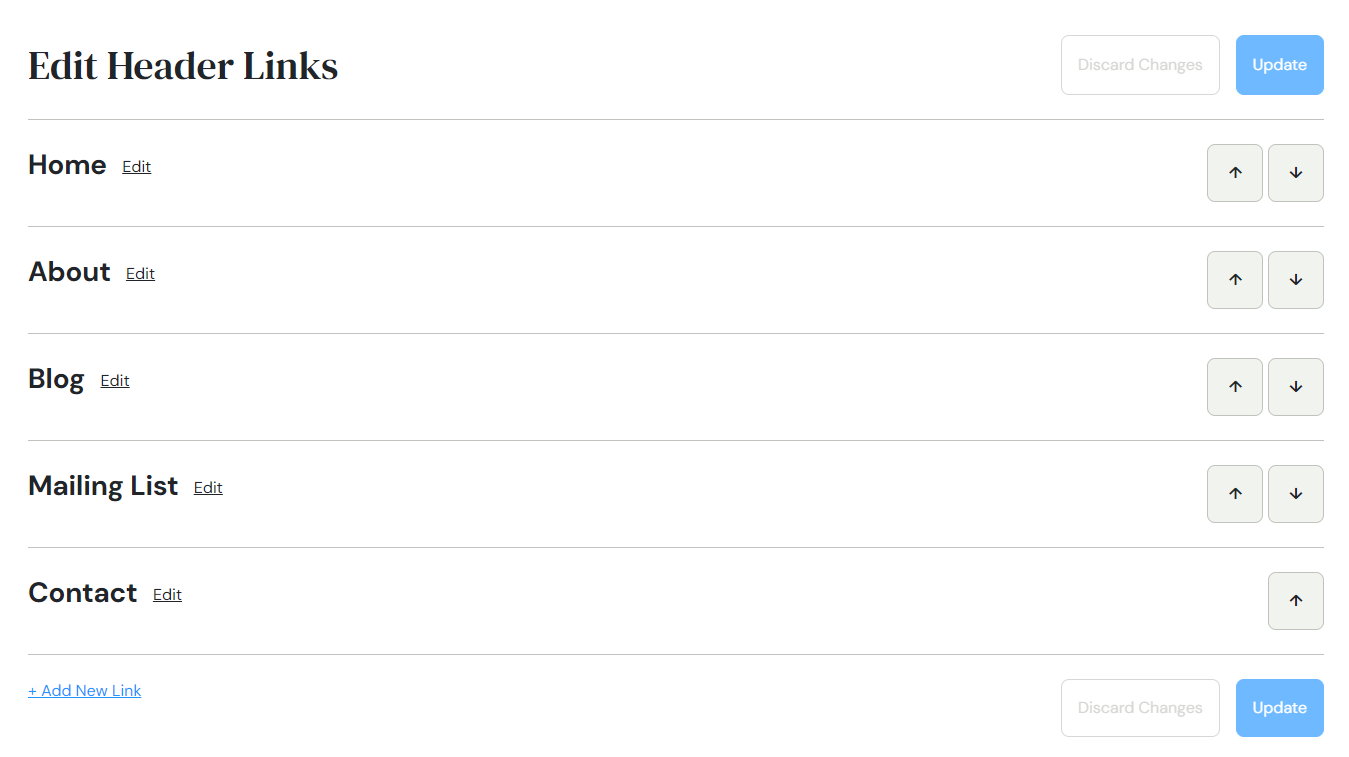
There are a few different layouts to choose from for the header menu. You can add, remove and move menu links under the option “Edit header links”:
There is one huge limitation that I think prevents their Website service from being actually useful: you can only design your home page. You cannot edit any other pages like the about page or book pages.
For example, I picked a template that added a background image to the mailing list page, and I was not able to remove it or add a new custom banner.
Creating pages and blog posts
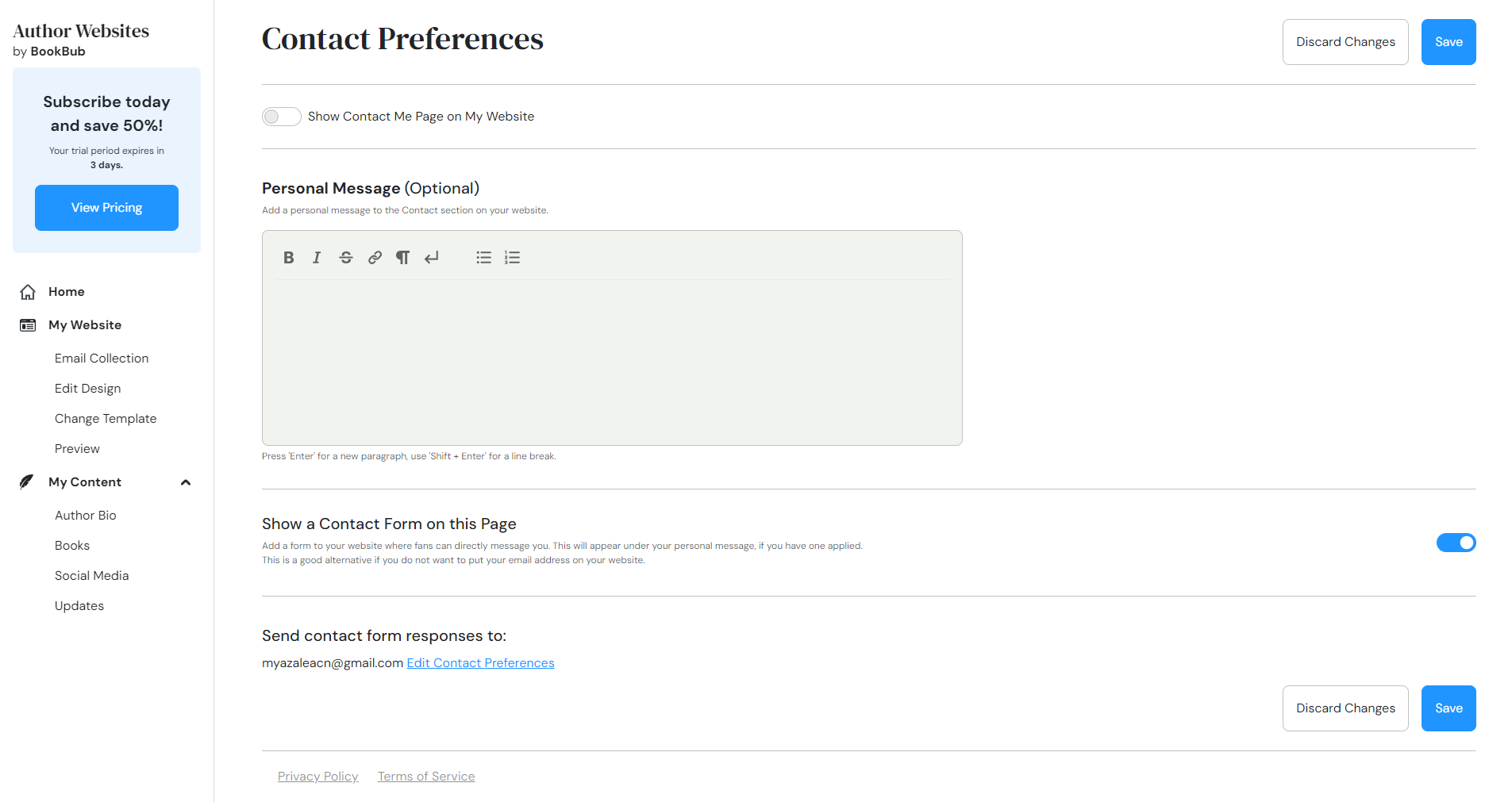
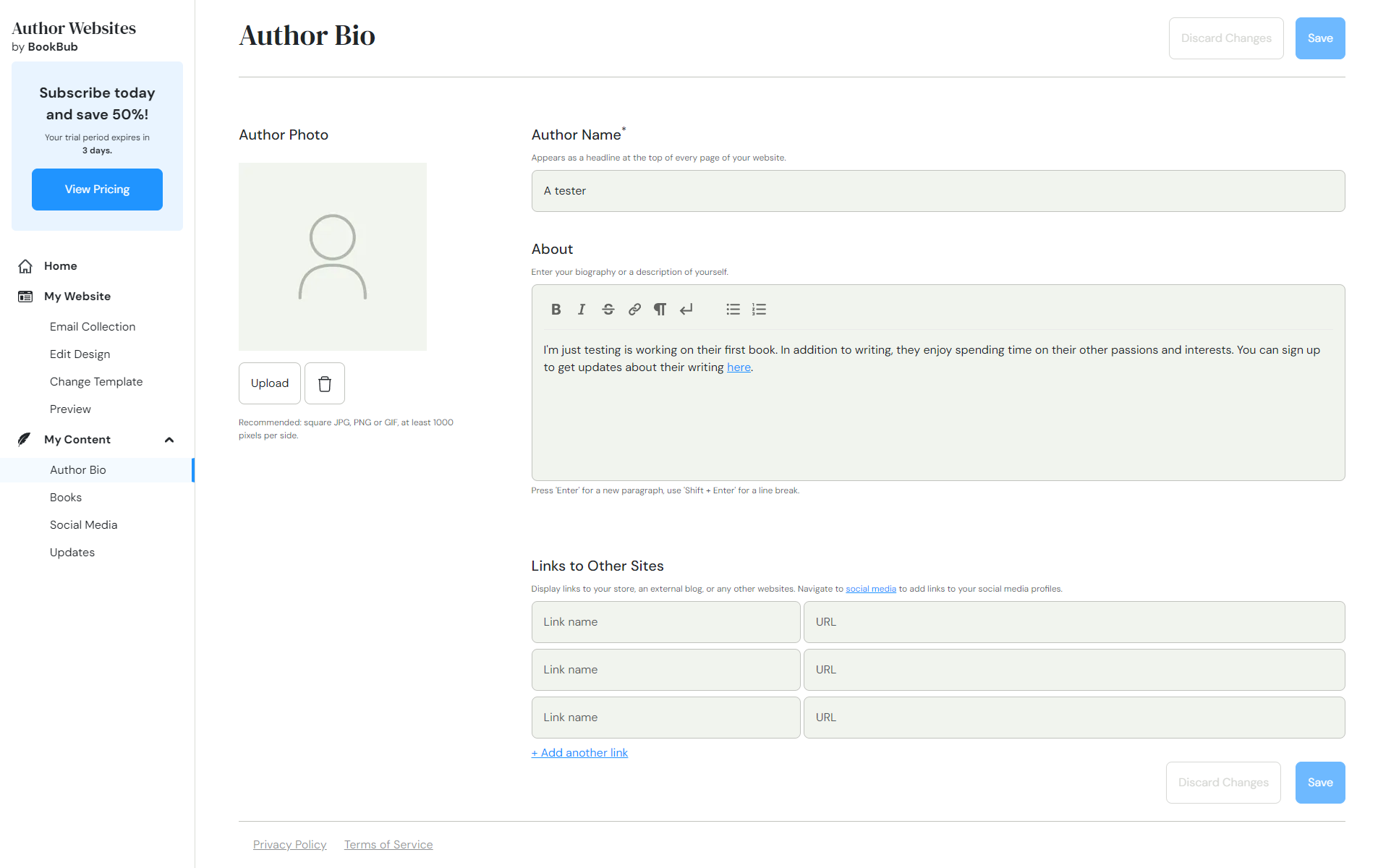
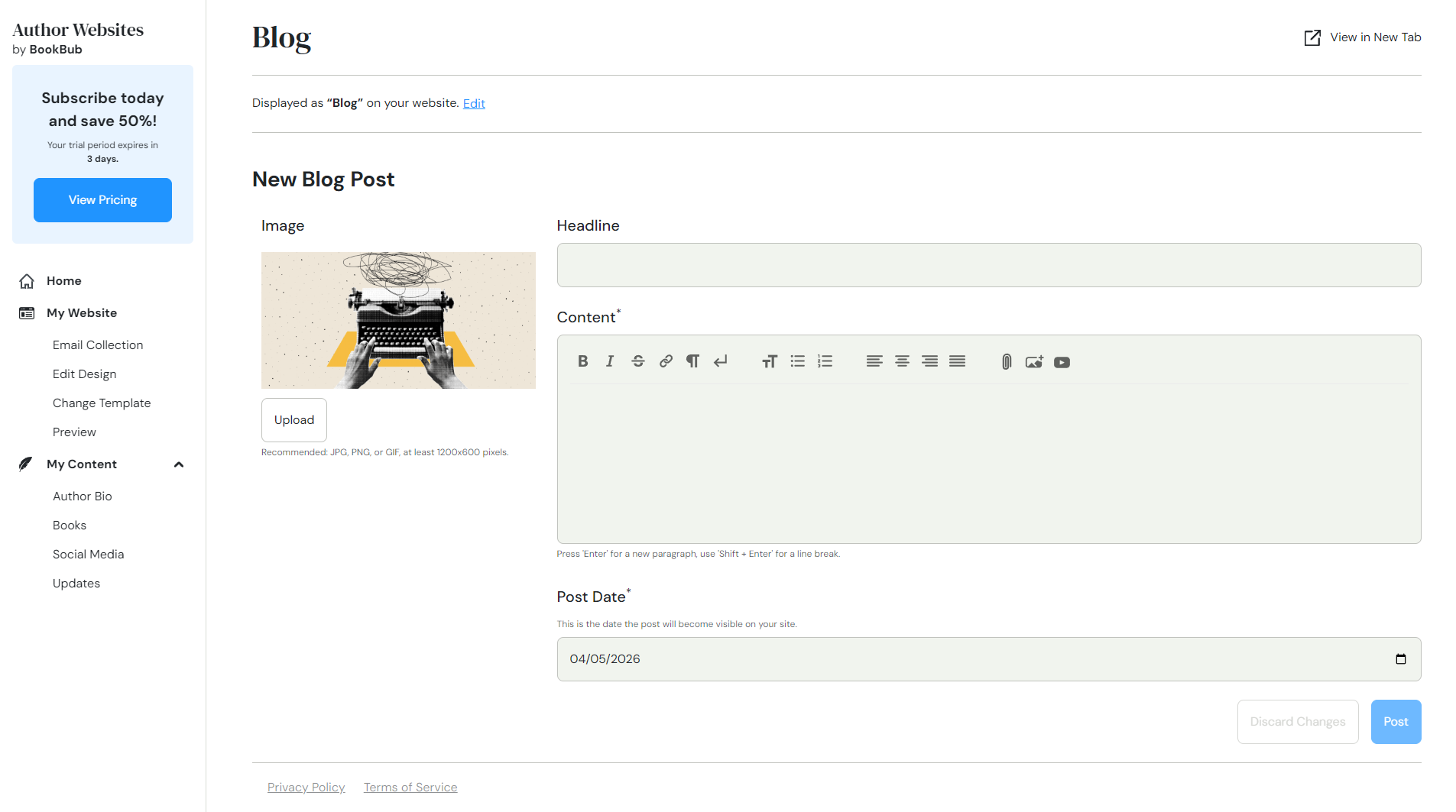
The content creation tool has several optional pre-made pages, including a blog, contact page, FAQ, praise (where you can add your blurbs and reviews), and even a media kit.
I really liked this because it helped me choose what content to add to promote myself and my books, instead of starting from nothing. It is also possible to create new custom pages.
However, I already mentioned what I think is the biggest problem; you cannot draft content, neither pages or blog posts. Which makes it difficult to use your marketing calendar and release content you have created beforehand.
You end up having to create your drafts elsewhere, and hope they don’t break when you copy and paste them into the BookBub tools. This is surprising, because the draft technology is there, because BookBub is already using it for drafting the newsletters.
What about the content policy? BookBub does allow some erotica or dark romance, and you should be able to use this service safely, but read the terms carefully.
Adding books and series
The tool offers several ways to add your books.
First, I tried to use what they call the Auto-import, where you enter your author name and they will search for your books. This tool didn’t work well for me, after a few hours it still hadn’t imported anything, and there was no way to cancel it.
When I returned 24 hours later, the book was imported, so I am not sure exactly how long it took.
The second option is to enter the URL of an existing BookBub or Amazon author page, and they will try to gather (scrape) the data for you.
And the final option is to add the books manually using a form. This works well, but I can see how it can become tedious if you have many books.
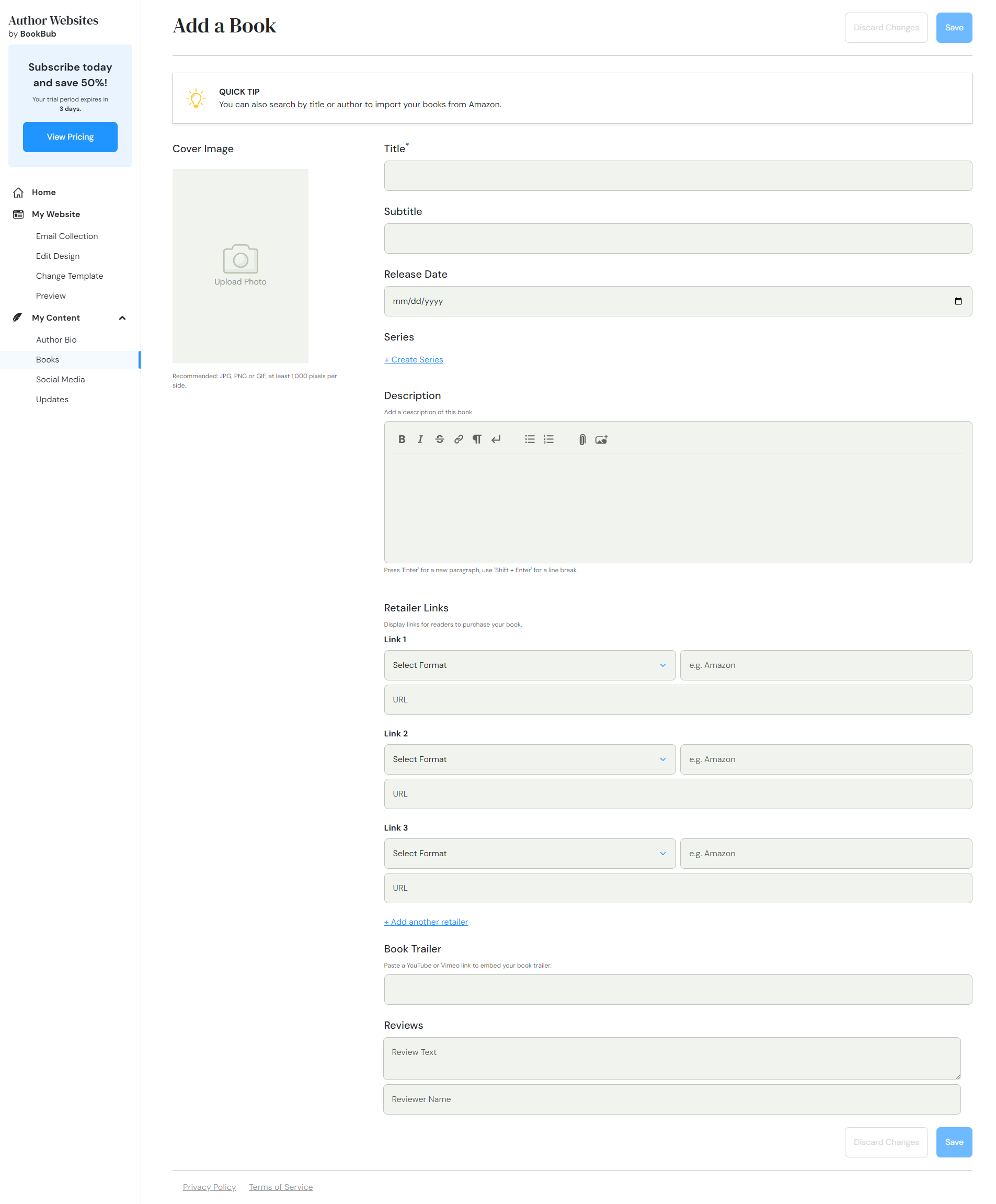
Once you have books saved, you can create series or collections.
You can edit or delete your books, but note that if you have added an image to a book, you cannot delete that image; only replace it.
BookBub email marketing tools
Email collection
BookBub suggests multiple ways to collect email addresses, such as a popup or email collection form on the home page above the footer.
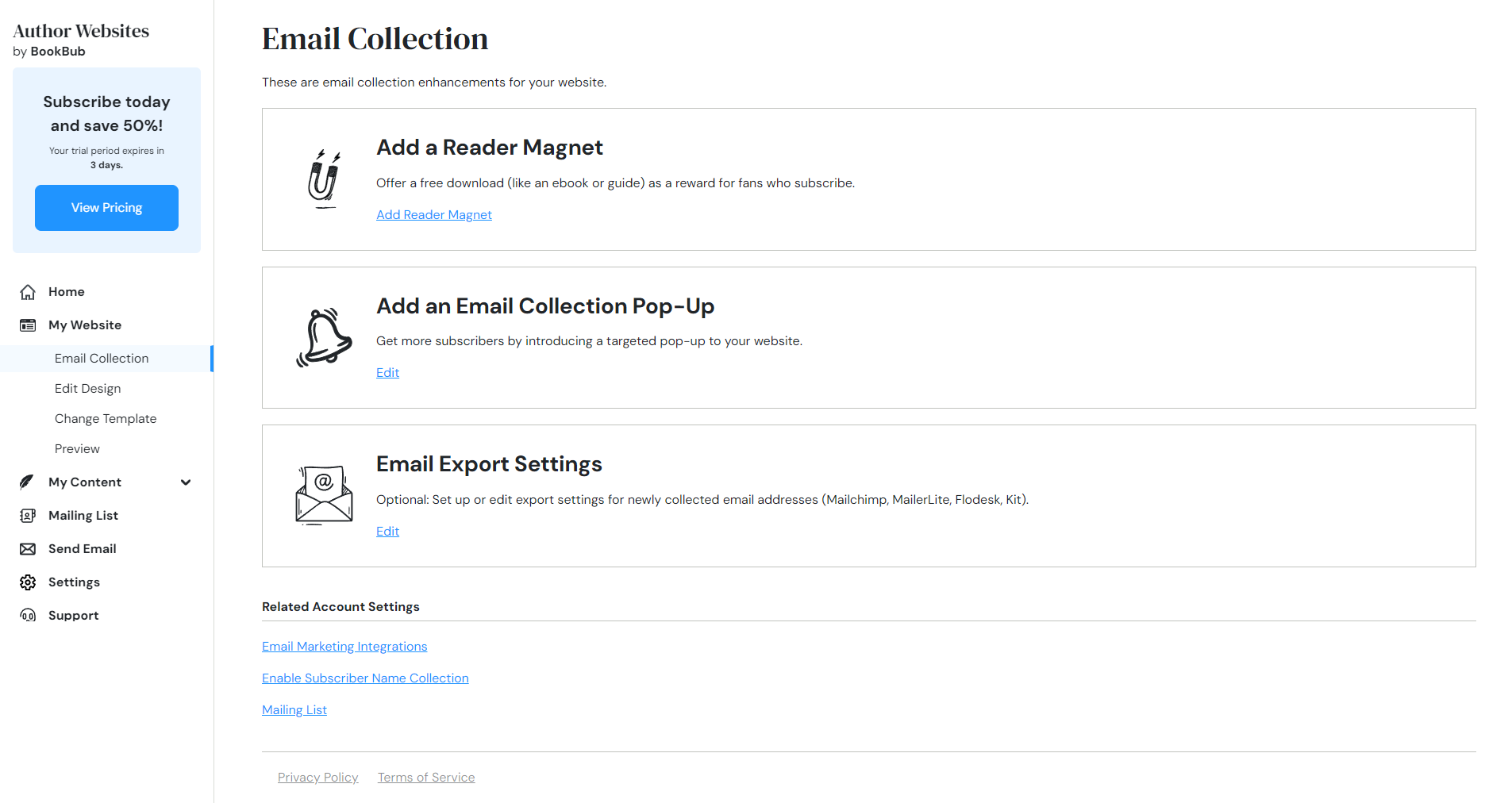
I really like how they highlight the importance of the email collection throughout the tool, because it is such a big part of book marketing.
The multistep wizard made it very easy to add a reader magnet, and if you for example want to share a short story or a chapter sample, you can even upload and host the files on BookBub.
You can:
- Add subscribers manually
- Import and export your mailing list at any time
- Set up alerts when someone signs up to your newsletter, either with a daily or weekly report.
Creating and sending emails with BookBub
Since January 2026, You can create and send your emails directly using BookBub Author Websites, and this is a big bonus.
During the free trial, the emails are capped at 1000. When you subscribe, you can send up to 10 000 emails per month.
You probably know that to send a newsletter, you are required to include a physical postal address. BookBub provides this address for you, and removes that obstacle.
You create your email layout using a basic tool where you can enter headings and text freely or add different contents from your website, such as your books or your latest blog posts. You can add images, buttons, or link to YouTube videos.
Most importantly, you can draft your emails and you can schedule them for later.
Newsletter analytics
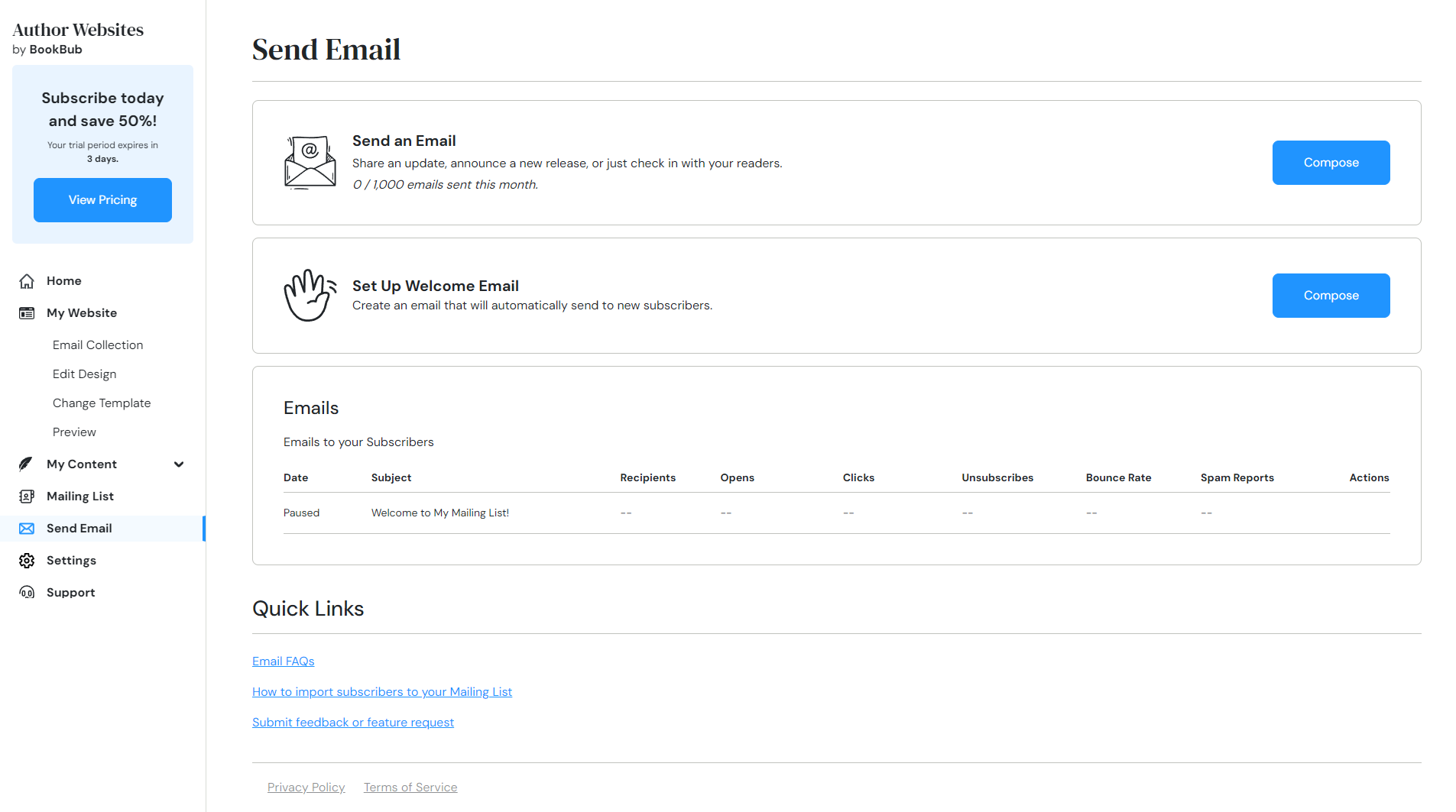
The email dashboard shows how many subscribers opened the email, the number of unsubscribes, how many reported it as spam, and the bounce rate.
This will likely be enough for most authors, but it is not as advanced as some popular newsletter providers.
Integrations with third-party newsletter providers
If you would rather manage your newsletter elsewhere, there are four possible integrations: Mailchimp, Mailerlite, Flodesk, and Kit.
Technical limitations: no custom code, schema or sitemap
There is currently no way to add custom HTML, CSS or scripts to the site. So if you wanted to for example run Google Adsense campaigns which use JavaScript, you can’t.
Another limitation is that I could not find an XML sitemap. Without a sitemap, you cannot submit one to Google Search Console to help Google Search discover and index your pages.
If you are using a domain that was bought from a different provider than BookBub, you can still verify your website in Google Search Console, but you need the technical knowledge to update the CNAME settings.
SEO and schema support
There are four built in SEO options:
- Customizing the site title
- Meta description
- A single image for social media previews
- Discourage AI bots from accessing your website (using robots.txt).
I think this is reasonable for this kind of service.
However, the most concerning technical issue for me was that the webpages do not use schema for authors or books. If you are not familiar with schema, it is an established protocol for structured data for classifying webpages, and it helps search engines understand your page.
I would expect the About page to use Person schema, and the book pages to use Book schema linked to the author.
What the book pages do have is Open Graph metadata, which is used for example to display previews on Facebook, LinkedIn or Slack.
In the footer of each page there is also a link to an XML feed.
Accessibility Issues
I wish it wasn’t the case, but I think it is important to bring up that neither the settings or the final pages on the front of the website are accessible.
Problems in the editing tool
In the tool itself, you cannot use the keyboard with the main menu, because you cannot see which item is selected (focused).
When creating the content, you then can’t use the keyboard to navigate to the toolbar that you use to make the text bold, align it, add lists etc.
I can tell that there have been attempts to make the tool usable for screen reader users, but it is also missing some very basic things like moving from the menu to the page content, headings, and identifying buttons that have the same label but do different things.
Problems on the published website
On the front, the templates are missing a clear heading hierarchy. Headings may have the wrong order or be missing completely, even though there are texts on the pages that visually look like headings. For example the text above the newsletter form.
Many templates have a low contrast which makes the content and links difficult to read, especially the dark backgrounds with dark text.
The <main> HTML element, which is meant to wrap only around the most important content of the page, wraps the entire page, including the header, navigation menu, and footer.
There is no skip to content link, so if you are using the keyboard or a screen reader, you are forced to read the full menu again each time you open a new page.
Support
I sent a support question about whether it was possible to remove the mailing list signup page (This was a real question I had when I was testing the tool), and the support staff got back to me within 48 hours, which I found acceptable.
Examples of author websites built with BookBub
These are examples of author websites that are currently live (March 2026) and built with BookBub Author Websites. These sites can give you a better idea of the templates, layout structure, and typical content used on the platform.
BookBub Author Websites: Quick pros and cons
| Pros | Cons |
|---|---|
| Very easy setup with step-by-step wizard | Limited design customization |
| Hosting included | No custom HTML, CSS, or scripts |
| Built-in email collection and newsletter tool | No content drafts |
| Reader magnet support | No sitemap |
| Simple pricing | Missing schema structured data for authors and books |
Conclusion
BookBub Author Websites tool may be a good fit if you:
- Are already a BookBub partner and want to manage the website and book promotions with the same brand.
- Want a simple website quickly with minimal content.
- Mainly want to collect email subscribers.
- Want a newsletter provider that adds the required postal address for you.
- Do not want to manage hosting or advanced plugin setups.
It may not be ideal if you:
- Have multiple pen names and need a separate site for each, since it is priced at $9.99 per month per site.
- Plan to move an existing site to or from BookBub. There is no import or export of pages or blog posts.
- Want to create your own shop and sell your books on your website.
- Plan to blog regularly.
- Want control over site structure or styling, or want to edit more than your homepage.
The direction of the product feels promising.
But my recommendation is to wait until the tool is out of beta and then check whether some of these issues have been resolved.
If you are curious, you can sign up for the trial and take the opportunity to send feedback to BookBub while the product is still evolving. Keep an eye on the BookBub partners blog for updates about the tools.